
What is Speak?
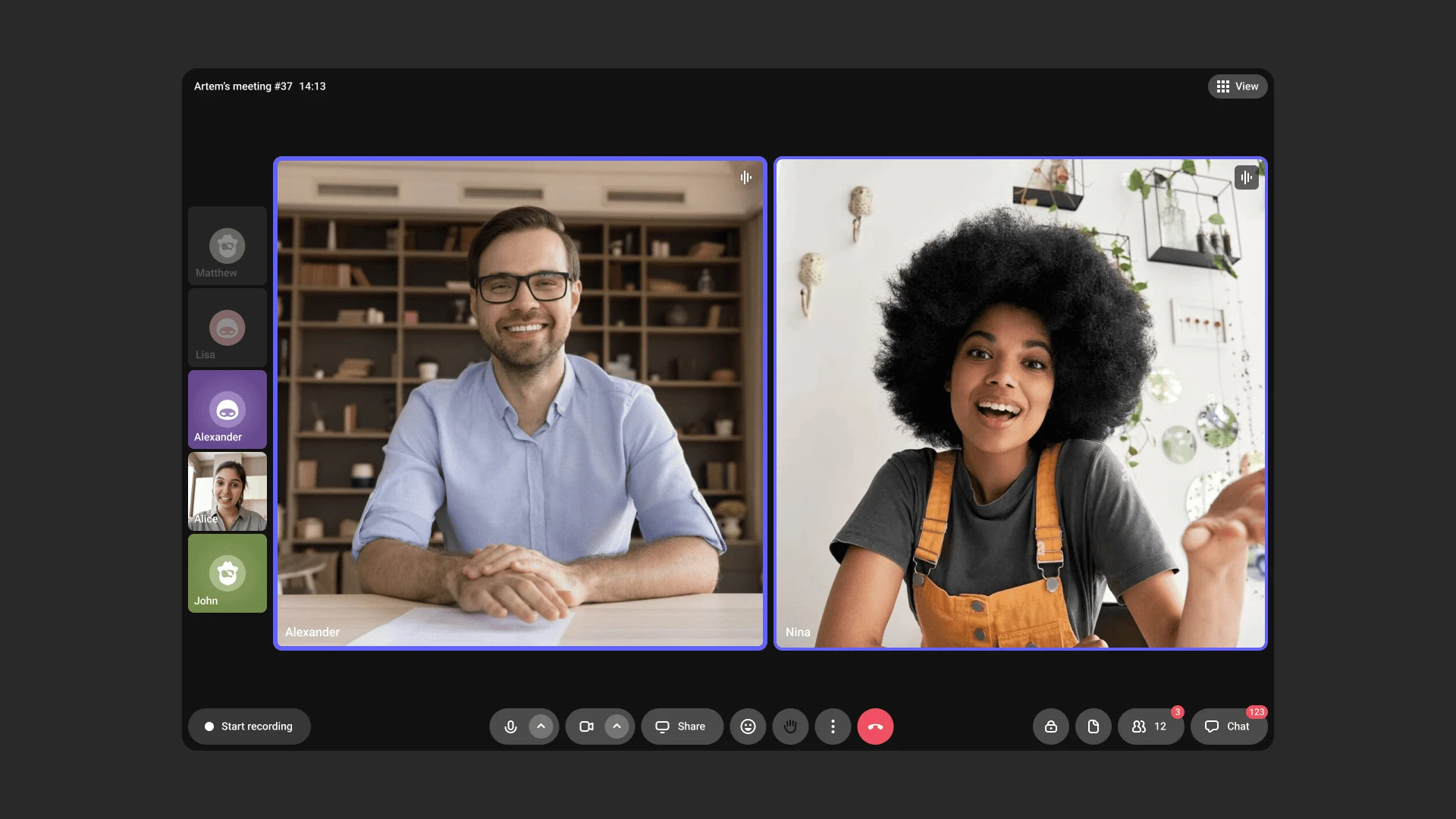
Speak is a tool for hosting video calls within Kinescope. Host online meetings, consultations, and training sessions, and recordings are automatically saved to the catalog.
Who this article is for
- Meeting organizers — need to host video calls with automatic recording
- Teachers — need to run online lessons with saved recordings
- Consultants — need to host consultations with automatic saving to the catalog
Speak capabilities
New room with one click. Click the “Speak” button in the dashboard — Kinescope creates a new room with a unique link. Share the link with participants so they can join.
Up to 100 participants. Connect colleagues, clients, or students to online meetings without registration — only a link is needed.
Screen sharing. Show presentations, documents, or any materials from the screen. You can stream the entire screen, a specific window, or a browser tab.
Chat and reactions. Participants can ask questions, share links, or discuss materials without interrupting the conversation.
Meeting recording. An administrator can record meetings with automatic saving to the Kinescope catalog.
Headline under the name. A participant can add a short second line under their name — a position or a company, so on a business call it is clear who is who.
Read more
The Headline field is on the screen before joining and in the room settings: three dots → Settings → General, up to 60 characters. The headline shows on the tile, in the participant list, and in the join queue.Waiting room. Participants do not enter the meeting straight away: the host admits each one by hand and can decline or block anyone unwanted.
Read more
It is turned on inside the room: Access control → Waiting room. After that, instead of the Join button a participant sees Ask to join and waits, with the message “The host sees your request — please wait”.
The host gets a notification and decides in the participant list, in the Waiting to join section: Admit, Decline, or decline together with a block. There is also Admit all.
Blocked participants stay visible to the host in the Blocked section and can be unblocked. The setting stays with the room for future meetings.
Mobile version. Participants can join meetings via a link from smartphones and tablets.
Mobile apps
Download the Kinescope Speak app for your mobile device:
- Android: Google Play
- iOS: App Store
What’s next?
After getting started with Speak, we recommend:
- Live Streams — learn about streaming capabilities in Kinescope
- Catalog and Video Management — working with meeting recordings in the catalog
- Speak login link with the administrator role — for developers: join a room via a link with a JWT token
- Team Management — configuring access for team members
Still have questions? Write to the support chat within the Kinescope interface — our specialists will help!