
Chat Moderation
The stream chat is moderated by the organizer and moderators. The organizer works with the chat on the event’s Studio tab.
Moderators are created via the API — see Moderators in the API reference. If viewers join the chat via JWT, you can grant moderator rights with the moderator role in the token — see Roles.
Moderator tools
In the chat, a moderator can:
- pause the chat;
- turn message premoderation, slow mode, and the Participants see only their own messages setting on and off;
- delete individual messages or all messages from an author;
- block users;
- pin messages;
- convert messages into questions and moderate questions — see Questions in the stream chat.
Chat restrictions do not apply to moderator messages: they are published without premoderation, slow mode does not apply to them, and links can be posted even when Hide users links in chat is enabled.
To learn how deleting messages works in threads, see Replies in threads.
Message premoderation
When there are hundreds of participants in a chat, spam and offensive messages can appear instantly. Premoderation holds each new message for a set amount of time, giving a moderator a chance to review it. If the moderator takes no action, the message is published automatically.
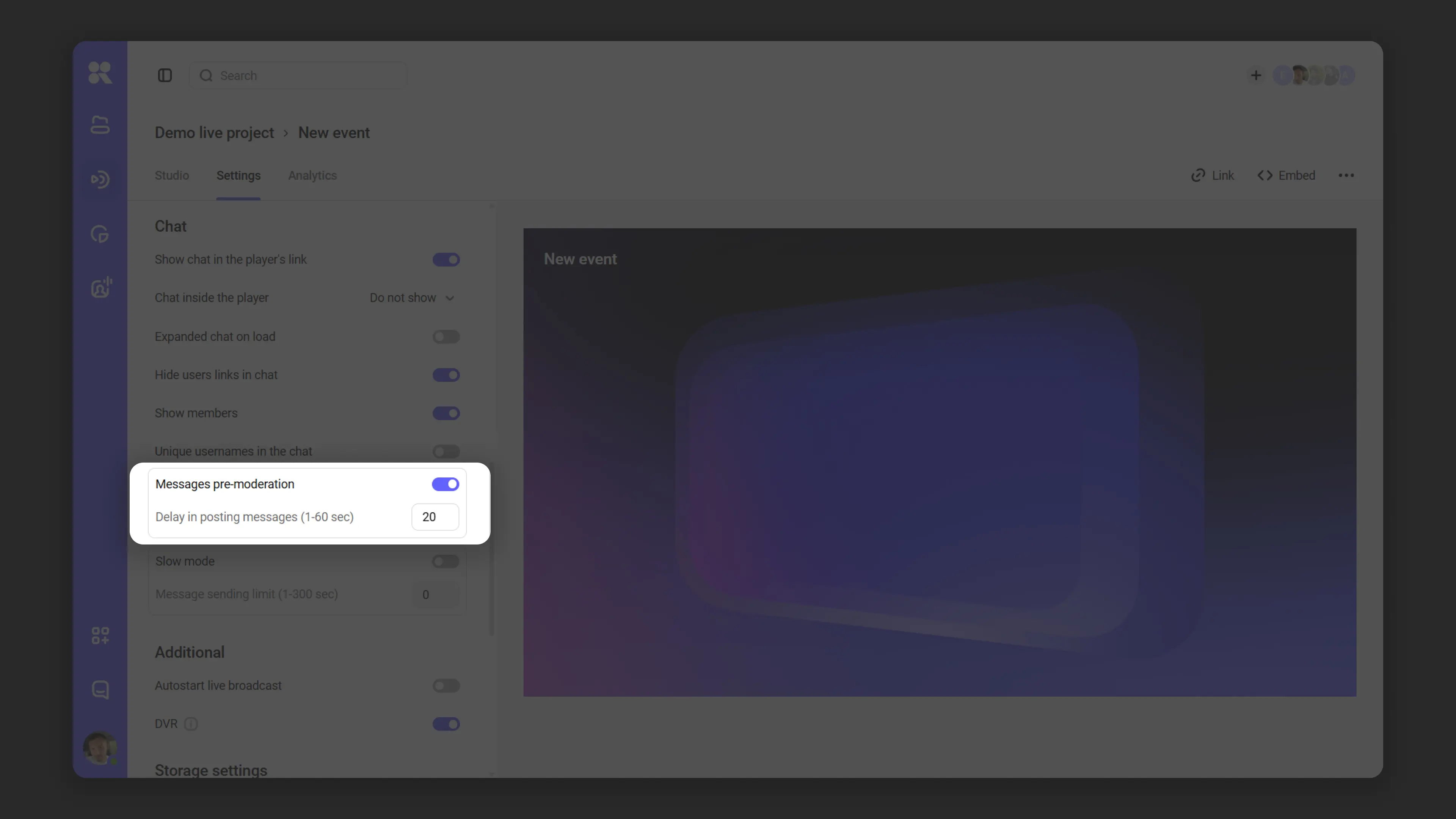
How to enable
Premoderation is enabled and configured by the event organizer.
- Open your Kinescope account and go to the stream you need.
- Open the Settings tab → Chat section.
- Enable the Messages pre-moderation toggle.
- In the Delay in posting messages field, set a delay from 1 to 60 seconds.
- Save the settings.
Premoderation can be turned on or off at any point during a live stream.
What happens to a message
The viewer sends a message and sees it in their own chat immediately — other viewers do not see it yet.
The moderator sees the message highlighted in red. During the delay, the moderator can:
- Delete the message — it will not appear in the public chat. The sender will still see their message, and the moderator will see it with a strikethrough.
- Block the author via the message menu — the message is removed from chat, and the user will not be able to rejoin the stream.
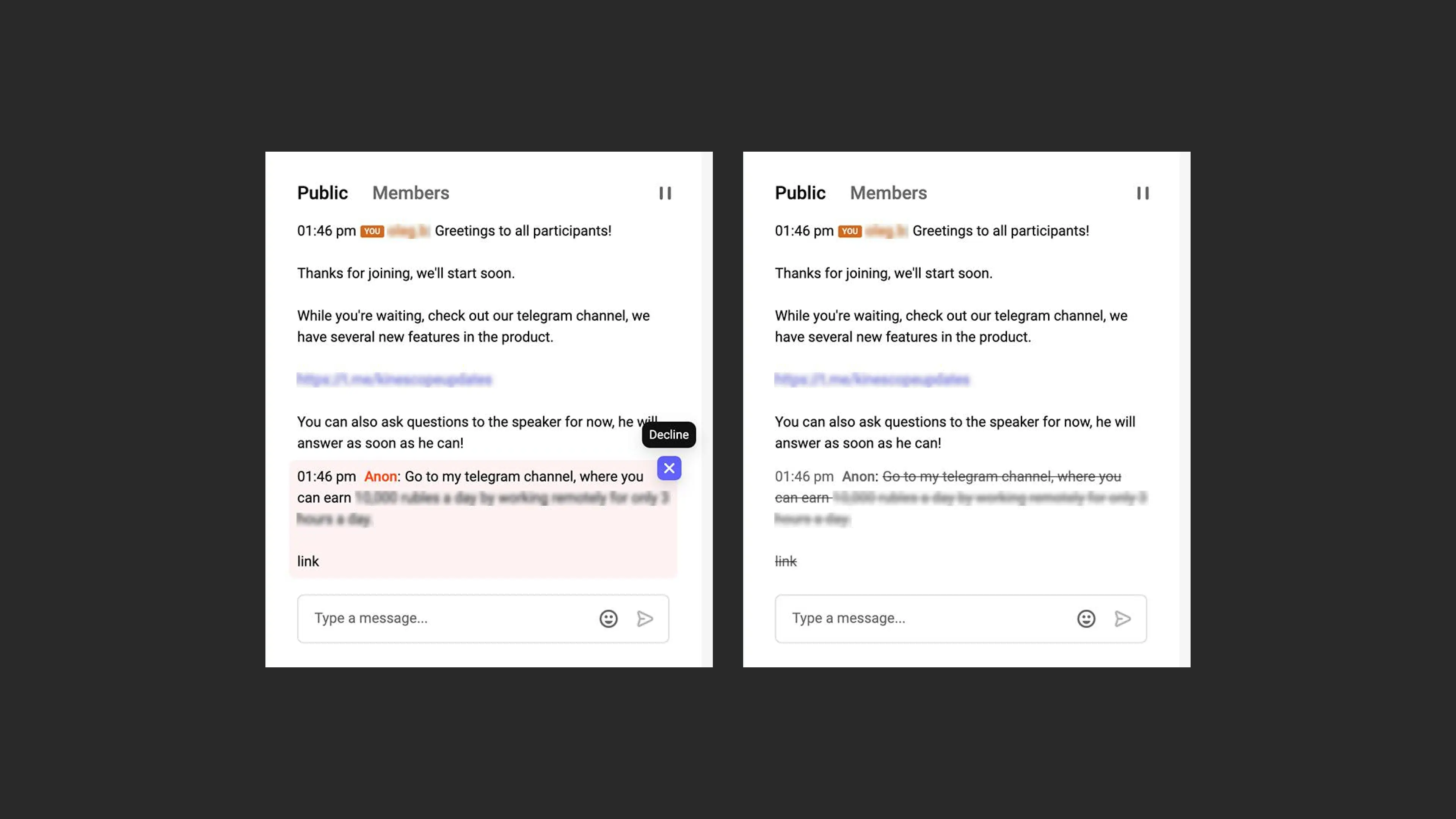
If the moderator takes no action, the message is published for everyone after the delay.
If premoderation is toggled during a live stream
- Already published and deleted messages are not affected.
- Messages that were still awaiting moderation are immediately published for everyone when premoderation is turned off.
Chat history
Only published messages appear in the chat history. If a moderator deleted a message before it was published, it will not appear in the chat.
Message order reflects the time of publication, not the time the message was sent.
FAQ
I sent a message but others can't see it — why?
I can see my message but my friend can't — why?
What’s next?
- Replies in threads — how premoderation and deletion work with replies
- Questions in the stream chat — moderating questions and converting messages into questions
- JWT Authentication for Stream Chat — viewer sign-in to the chat and the moderator role
Still have questions? Write to the support chat within the Kinescope interface — our specialists will help!